

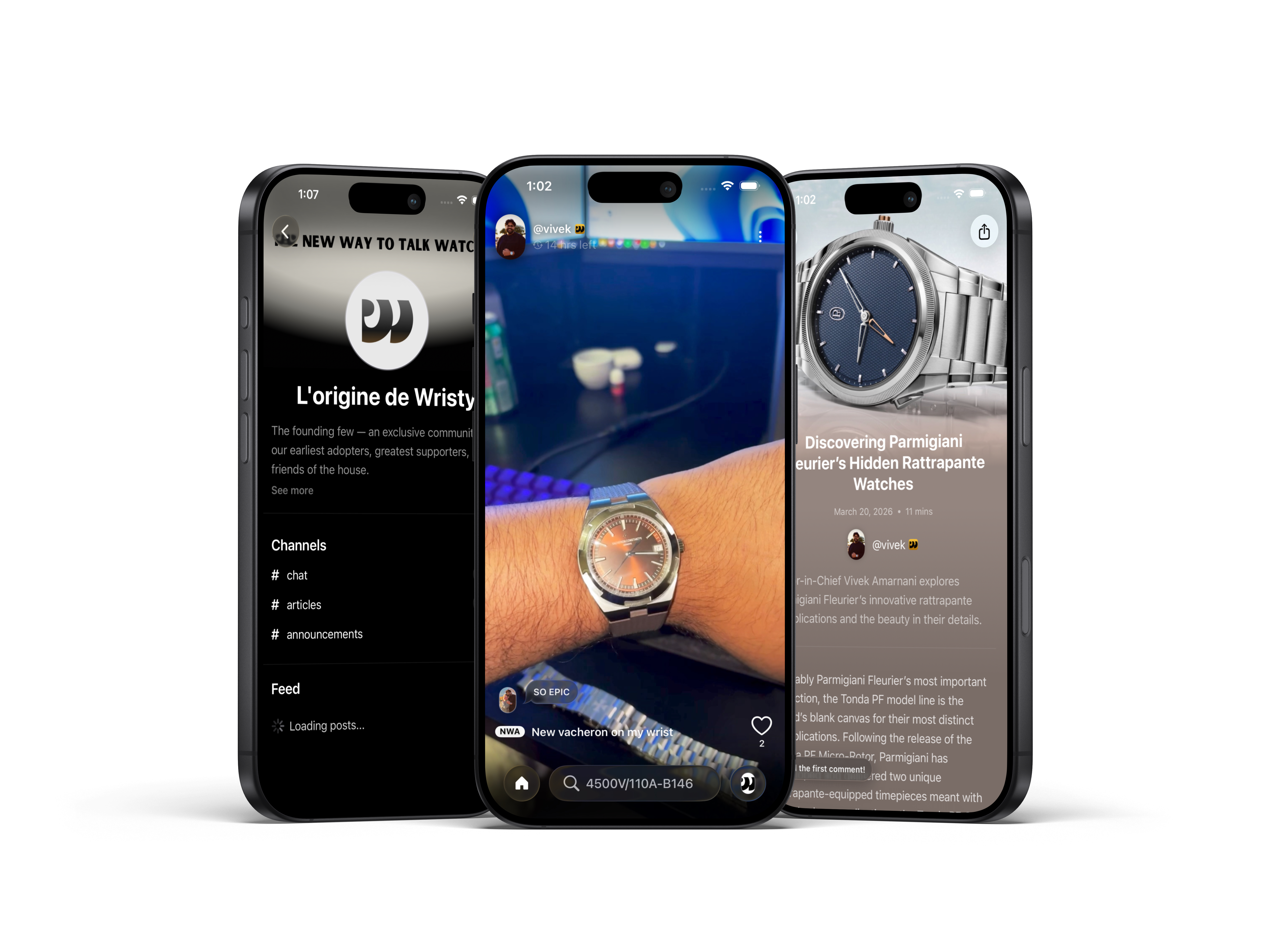
How to get started Join Wristy on TestFlight
Use your iPhone to join the public Wristy beta in TestFlight using this link.
- Install Apple's TestFlight from the App Store.
- Open https://testflight.apple.com/join/eJyVEprN on the same iPhone.
- Tap Start Testing (or View in TestFlight), then tap Accept.
- Tap Install and wait for Wristy to finish downloading.
- Open Wristy from TestFlight or your Home Screen, then sign in or create your account.
What is Wristy Features and use cases
Features
- Daily feed of watches from friends and other collectors in your communities
- Simultaneously see everyone in the world wearing a specific watch that day
- Add watches to your personal watchbox or wishlist
- Log and track your wearing habits to see statistics and trends
- Join communities to send chats, share articles and images, and organize events
- Read, write, and share articles on any topic
- Write and edit articles using our intuitive writing workspace
- And many more...
How would you use Wristy?
Wristy provides an ideal platform for seasoned collectors to connect with fellow enthusiasts and control their experience in watch discovery and sharing. Unlike other apps, Wristy has no algorithm, no noise, and no commerce. It is built to help you stay informed, not influenced.
Wristy is a strong platform for people new to watch collecting because it helps them connect with more experienced collectors and learn from what they wear, what they write, and what they share. While other social platforms use browsing data to show you more of what you already like, Wristy helps you grow your circle and build organic connections that lead to new discoveries.
Wristy gives writers a dedicated workspace for drafting and publishing watch content with less friction. When you publish, your article appears directly in the feeds of friends and members in your circles, helping your work reach people who are already engaged in the conversation.
Wristy is not a storefront or an advertising channel. It is a place for brands and organizations to step away from selling, participate as people, and reconnect with the watch community at ground level through genuine conversation.
About us Our goals and missions
Wristy was built out of necessity. We created the app we wanted to use: a platform that makes the watch hobby feel more purposeful, more personal, and more rewarding. Built by Vivek Amarnani and Bella Woliver in about 1.5 months, Wristy was created with one clear purpose: to give collectors a better place to discover, share, and connect.
Wristy's mission is to build a collector-first watch community where discovery is driven by people, not algorithms, noise, or commerce. Our goal is to help members stay informed, share what they care about, and build meaningful connections across every level of watch collecting. Wristy is designed to work for the user in one place, so you do not have to juggle multiple apps and force disconnected tools to fit the way you collect, learn, and share.
We are committed to building ethical social media where safety, respect, and trust are core product priorities, not afterthoughts. On Wristy, that means reducing manipulation by removing algorithmic pressure, keeping interaction community-driven through circles and direct connections, and setting clear expectations for how members engage with one another.
FAQ Questions and troubleshooting
The link says this beta is full
Public TestFlight links can temporarily hit Apple's tester limit. Keep the same link and try again later, or contact us for the latest availability.
The link opens in Safari but not in TestFlight
Install TestFlight first, then reopen the public link on the same iPhone. Tap Start Testing and allow Safari to open TestFlight if prompted.
I already have an older Wristy beta installed
Open Wristy in TestFlight and update to the latest build. It's best to keep automatic updates enabled so you always have the newest beta fixes.
Can I submit bug reports or feature feedback?
Yes. Use the support form and include your device, iOS version, and as much detail as possible. Product feedback directly informs what ships next.